
Discord Leaderboard Bot
Live rankings for your server, updated with one button.
Scoreboards is a Discord leaderboard bot — a scoreboard bot for any game or competition your server runs.
Add it and it keeps a live leaderboard in the channel you choose: points, highscores, fastest times, ELO rankings, leagues and image ratings. Members send in a score with one button, your moderators approve it, and the rankings update on their own — in Discord and on a web page you can share.
Not on Discord? Make a leaderboard on the web
4.0K
Discord servers
6.2K
Scoreboards
39K
Players
160K
Submissions
How it works
How the Discord leaderboard bot works
No spreadsheets and no setup pages. Three steps, and your server has a live leaderboard.
1/3
Add the bot
Invite Scoreboards to your Discord server. It is free and takes a few seconds.
2/3
Run /leaderboard create
One short form: name your leaderboard and pick how to keep score. The bot posts it right in the channel.
3/3
Let the scores come in
Members press Submit on the leaderboard to send in a score. Approve it yourself or let it approve automatically, and the rankings update live.

From then on
- A moderator approves it
- One press on Approve. On ELO and League boards the opponent confirms instead, and a match counts on its own after 3 hours; any board can approve itself after a delay you choose, from instantly to seven days.
- The leaderboard redraws
- The board message updates in place, and its web page with it. Roles for the top ranks follow a few seconds later.
- Monday brings a recap
- The top three, the week's biggest climber and how much was played, posted to the board's channel every week there were at least three scores.
- The season ends on a podium
- Give a season an end date and the board freezes into its final standings. The next season starts on a new board, and the old one stays as the record.
Try it now
Get on the board
Stop the marker in the pink. Every hit makes it harder. Score and your name goes on a real leaderboard, the same kind the bot runs in your server.
Score
0
Top 10
- 1—
- 2—
- 3—
- 4—
- 5—
- 6—
- 7—
- 8—
- 9—
- 10—
Leaderboard types
Every way your server keeps score
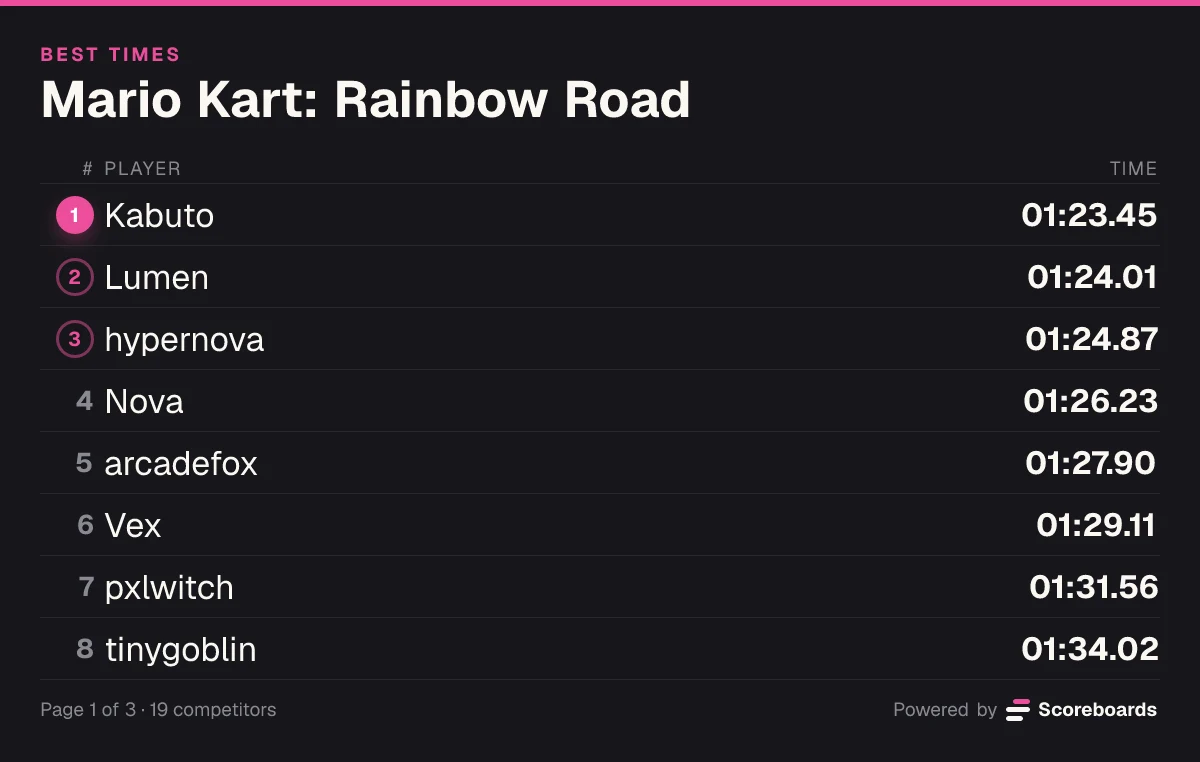
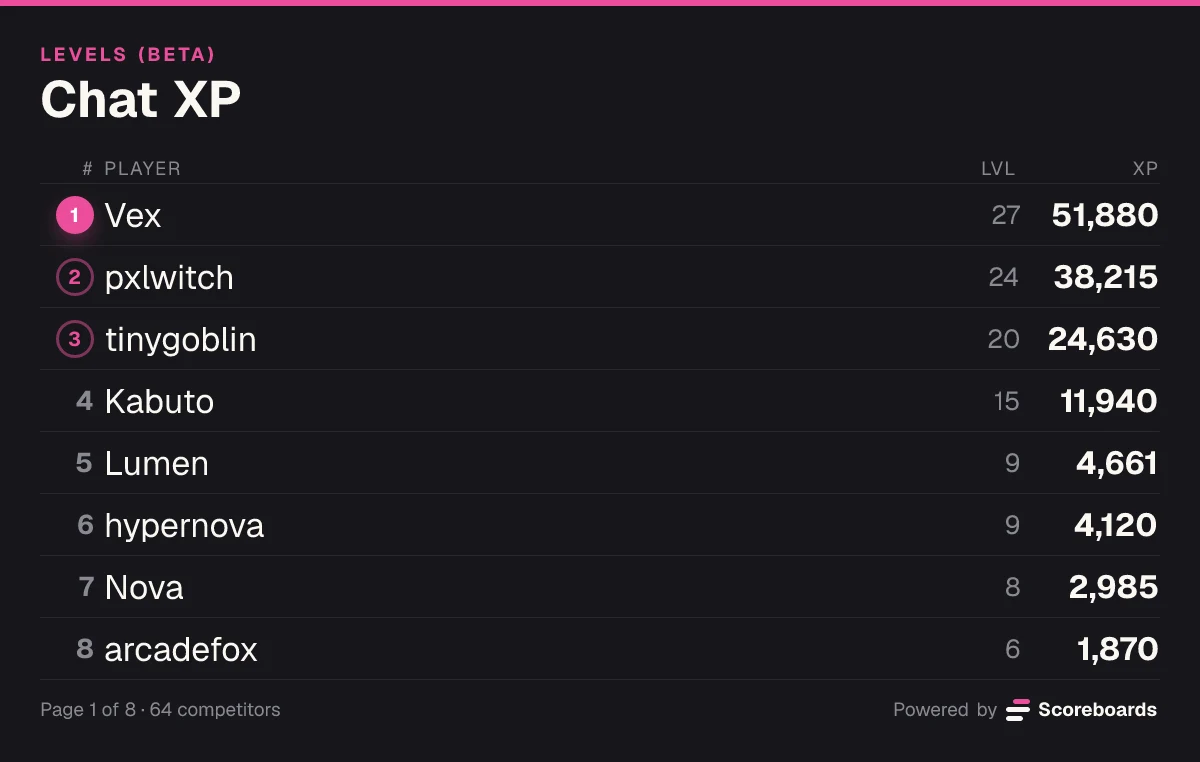
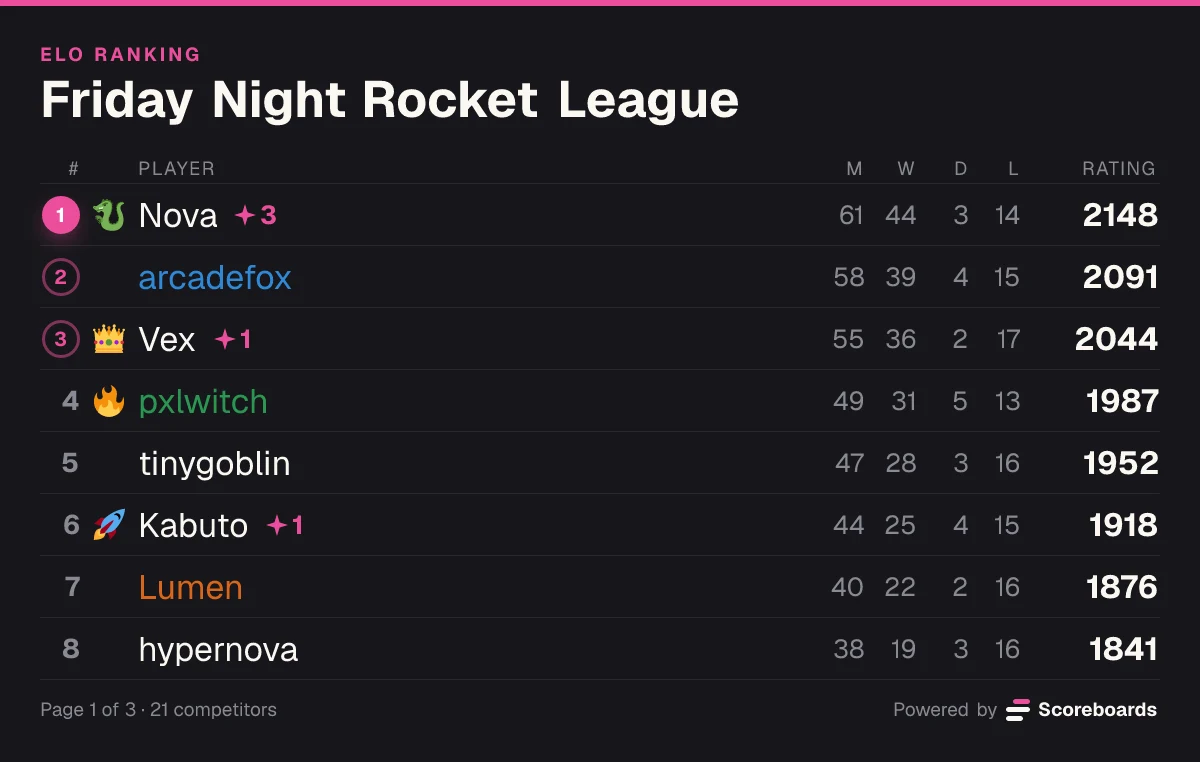
Pick a type when you create a board. Each ranks a different kind of result, and one server can run as many boards as it likes.
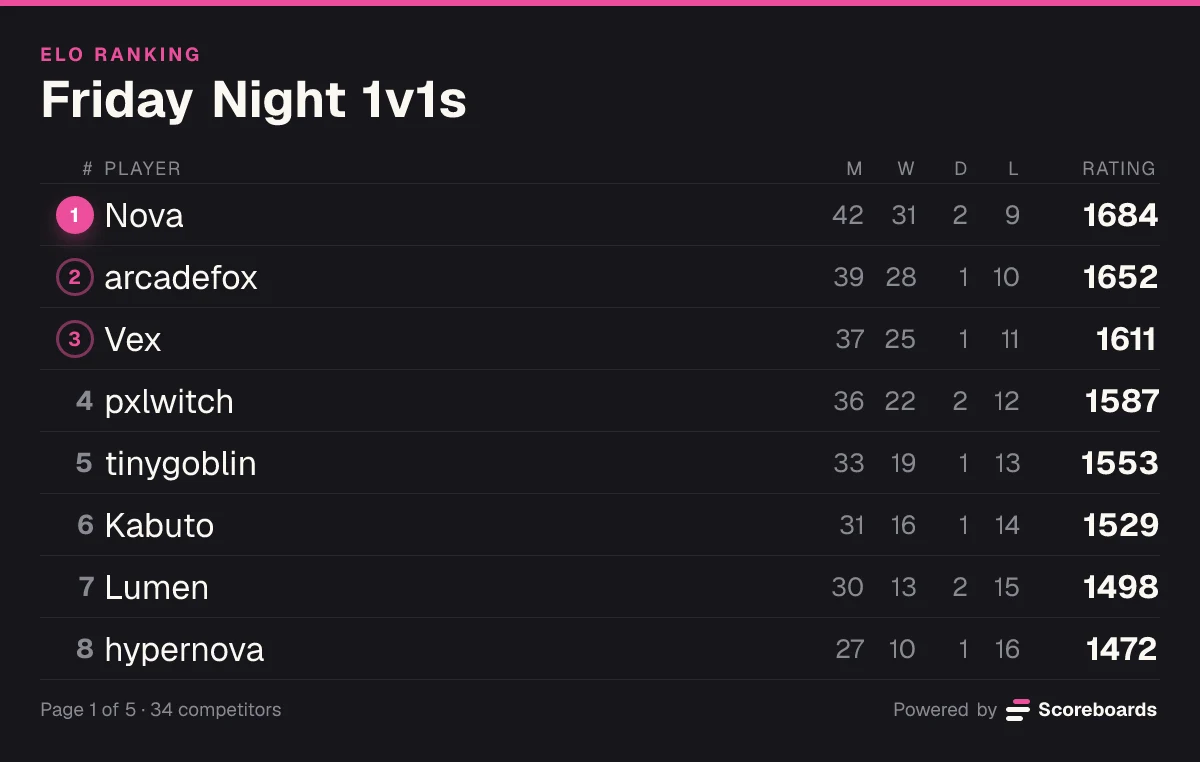
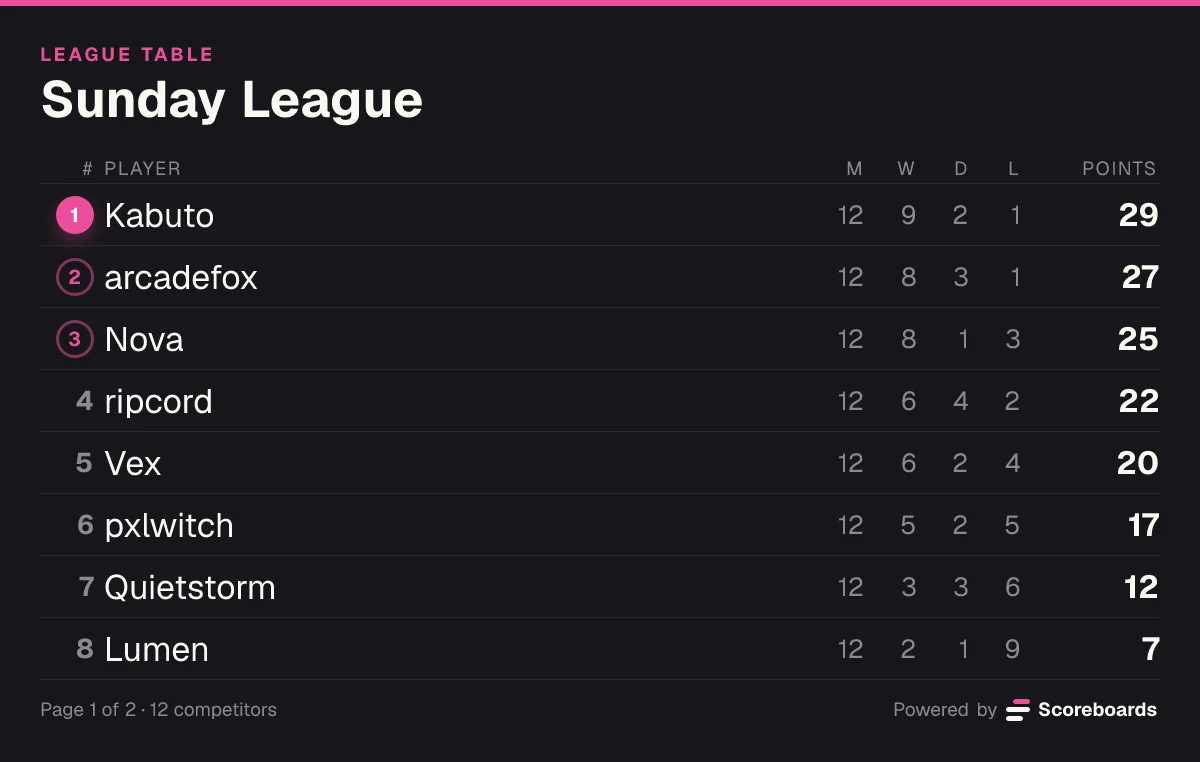
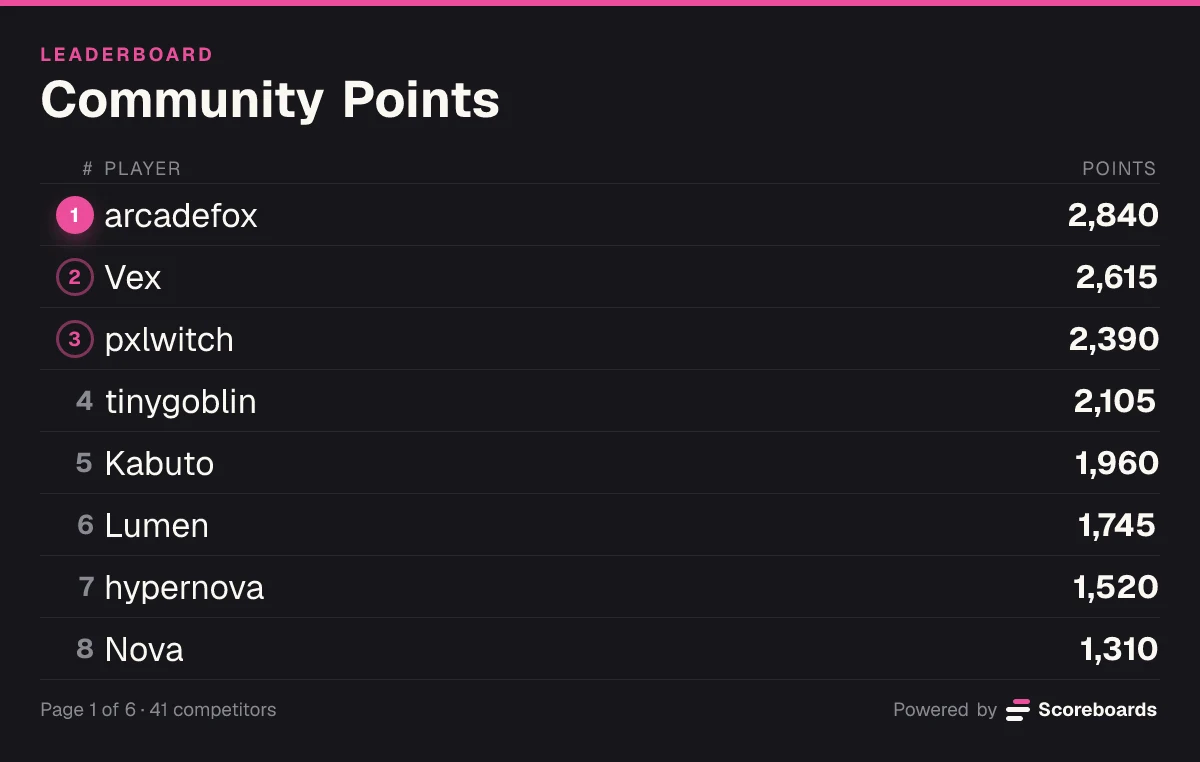
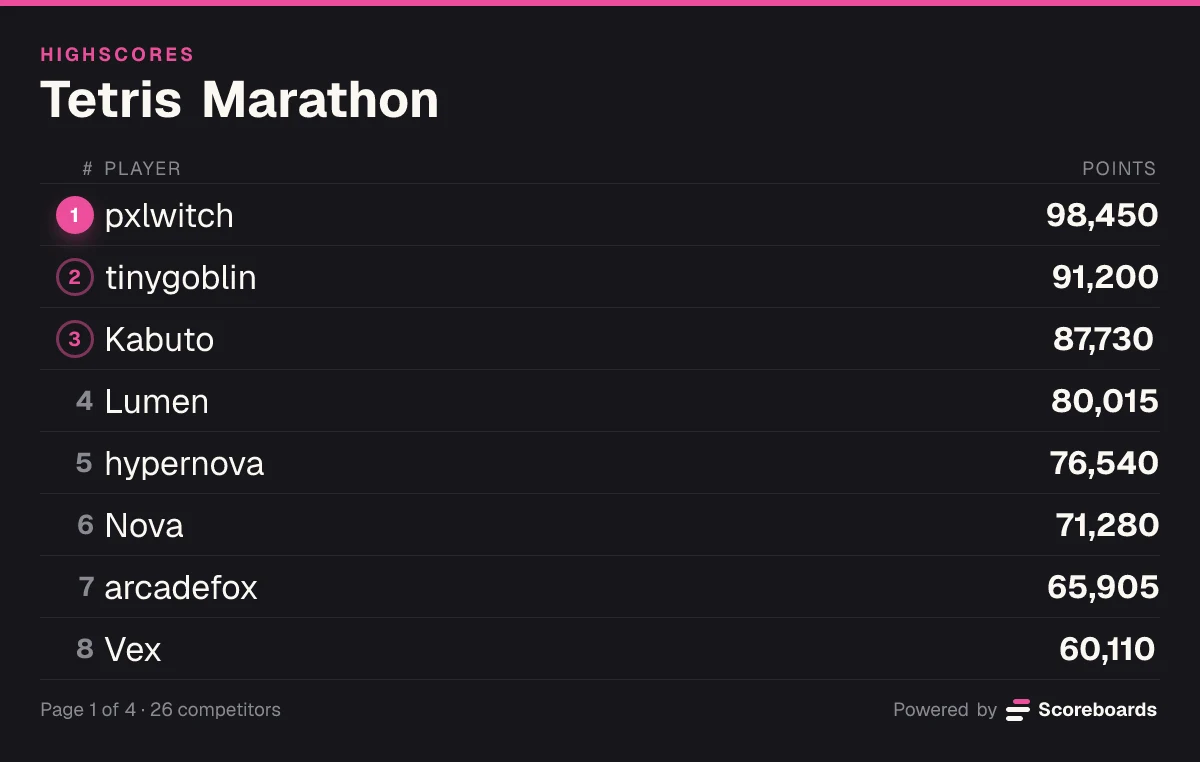
Features
More than a leaderboard
Everything a competitive server needs is built in, and switched on per leaderboard from the dashboard.
Run the competition
- Matchmaking queueThe Discord ELO bot pairs players by rating in their own match thread.
- Teams and free-for-allsTeam matches from 2v2 to 8v8, fixed rosters that sign up once, or free-for-alls of 3 to 8 players.
- Seasons that freezeEnd a season on a date and keep its final standings, frozen, as the record.
- Approval and proofScores wait for a moderator, with a screenshot as proof. On ELO and League, the opponent confirms.
Reward the players
- Roles for the top ranksHand out Discord roles by rank or by score. The bot moves them as the board changes.
- A currency and a shopApproved results pay a currency members spend on roles, board emojis and name colours.
- Weekly recapsA Monday post with the top three, the biggest climber and how much was played.
- Player profilesEvery player gets rank history, wins and losses, recent results and where they stand.
Take it further
- A web page and an embedEvery board has a page you can share, and a public one can live on your own site, light or dark.
- An APIRead boards and push results from your own code. In beta.
- CSV importAlready keeping score in a spreadsheet? Import up to 500 rows at a time.
- Five languagesThe bot posts in your server's language: English, German, Spanish, French or Portuguese.
Use cases
Built for every kind of server
Gaming clans, game nights, gyms, classrooms and creative communities all keep score the same way: in the channel where they already talk.
Ranked ladders for 1v1 and team games, a queue that finds fair matches, and seasons that crown a champion.
How do I add Scoreboards bot to my Discord server?
Click the 'Add to Discord' button at the top of the page or in the CTA section below. You'll need the Manage Server permission in that server to add the bot. Once added, you can start creating leaderboards right away!
How do I make a leaderboard in Discord?
Add Scoreboards to your server and run /leaderboard create. Name the leaderboard, pick a type — points, highscore, fastest time, ELO, league or image rating — and the bot posts it in the channel. Members submit their scores with the button on the leaderboard, and it updates automatically.
What types of leaderboards are supported?
Scoreboards supports seven types of Discord leaderboards: Classic (standard points/scores), Highscore (for single best scores), Time (for speedruns and time-based competitions), ELO (for ranked competitive play with matchmaking, 1v1 or 2v2–8v8 teams), Rating (for community image voting with 1–10 star ratings), League (match-based points ranking for football, basketball, and any sports league — 3 for a win, 1 for a draw, solo or in teams), and Levels (BETA), where members earn XP from chat and voice and unlock roles as they level up — a Levels board is made in your Discord server. Each type is optimized for different gaming and competition formats.
How does score validation work?
You can set a validator role in your server settings. Users with this role can approve or reject score submissions. Alternatively, you can enable auto-approval with a delay (instant, 1 hour, 3 hours, 24 hours, 3 days, or 7 days) or turn it off completely for manual verification. On ELO and League boards the opponent confirms a reported match, and it counts on its own after 3 hours unless they disagree.
How do tier roles work with the leaderboards?
Tier roles automatically assign Discord roles to players based on their rank on your leaderboard. You can set minimum and maximum rank ranges for each role, and the bot will update roles automatically as rankings change. This is perfect for rewarding top players with special roles and permissions.
Can members earn a currency for playing?
Yes. The economy stays off until an admin turns it on. Then every approved result pays out a currency you name, and beating someone stronger than you pays more. Members spend it in your server's shop, reached from the Shop button under your leaderboards: Discord roles, board emojis that sit beside their name, and name colours. It is one balance per member, shared by every leaderboard in the server.
Can I customize the view mode of my leaderboards?
Yes! You can fully customize your leaderboards with custom headers, sort order, visible ranks, and more through the dashboard. You can also set custom text and choose between compact or normal display modes to match your server's style.
Can I control who can view my leaderboards?
Yes! Each leaderboard has website visibility settings: Disabled (not shown on website), Private (only guild members can view), Hidden (accessible only via direct link), or Public (visible to everyone). This gives you full control over your leaderboard's privacy.
Is there a limit to how many leaderboards I can create?
The Free plan includes 2 leaderboards per server, Plus 25, Premium 100 and Ultimate 500. Frozen leaderboards don't count towards the limit. Servers that used Scoreboards before paid plans arrived keep everything free until February 28, 2027.
Can I track player statistics and analytics?
We're actively working on advanced analytics features! While basic leaderboard tracking is fully functional, comprehensive player statistics, performance trends, and detailed analytics dashboards are currently in development. Stay tuned for updates as we roll out these features.
Is it free?
Yes. The Free plan has no time limit and needs no card: every leaderboard type, up to 2 leaderboards per server with unlimited players, the matchmaking queue, and nothing for your members to pay. Paid plans lift those limits (up to 500 leaderboards) and add seasons, tier roles, the economy, custom branding, website embeds and the API. Servers that used Scoreboards before paid plans arrived keep everything free until February 28, 2027.
Do I need Discord to use Scoreboards?
No. You can sign in with Google, create leaderboards on the web, and share them with a link — no Discord server required. If you do use Discord, Scoreboards also runs as a full leaderboard bot inside your server.
How do I create an online leaderboard?
Type a name in the create box on scoreboards.dev, pick how you want to keep score — points, best scores, fastest times, wins and losses, or photo ratings — and hit Create. No signup needed to start; sign up free afterwards to keep the leaderboard and manage it from anywhere. Then share the link and everyone can add their scores from any browser.
Give your server a leaderboard worth playing for
Add Scoreboards, run /leaderboard create, and the first board is live in your channel in two minutes.
Already running in 4,000+ Discord servers.